Product Details
Product Description
Product Description
Focus on DCS, PLC, robot control system and large servo system.
Main products: various modules / cards, controllers, touch screens, servo drivers.
Advantages: supply of imported original products, professional production parts,
Fast delivery, accurate delivery time,
The main brands include ABB Bailey, Ge / fuanc, Foxboro, Invensys Triconex, Bently, A-B Rockwell, Emerson, ovation, Motorola, xyvom, Honeywell, Rexroth, KUKA, Ni, Deif, Yokogawa, Woodward, Ryan, Schneider, Yaskawa, Moog, prosoft and other brands
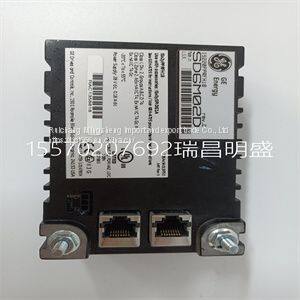
IS220PPRFH1B 336A5026ADP2
The transmitter has two display regions active while in the measure mode of operation. The primary display region shows the measured variable. The secondary display region can show a multitude of process, sensor, or transmitter information: process temperature, current output value, sensor type, sensor cell constant, compensated conductivity (useful for concentration configurations), user-defined text description (concentration configuration only), spike mode status, and software revision. All of these are viewable in the secondary display region using the secondary display mode. Any of these can be set as the displayed value while in the measure mode of operation. SECONDARY DISPLAY STATES OF OPERATION The secondary display mode contains eight states. These provide information on the process temperature, transmitter settings, and transmitter status. As shown in Figure 10-1, each secondary state can be sequentially viewed by pressing the NEXT smart key. Any given secondary display state can be continually shown in the measure mode by pressing the ENTER smart key when the desired state is shown. The transmitter proceeds to the measure mode and displays the entered secondary display state in the secondary display region. SECONDARY DISPLAY OPERATION To use the secondary display mode and states of operation: 1. Press the MENU smart key until DISPLAY is highlighted on the display. 2. Press the SELECT smart key to enter the secondary display mode. 3. Press the NEXT smart key to sequentially view each secondary display state. 4. Press the ENTER smart key to have the desired secondary display state appear during the measure mode
>>
gold foil wallpaper
>>
mens high quality durable reusable eo-friendly double edge natural maple wood handle shaving safety razor
>>
Stainless Steel Oil Sight Glass
>>
Shanghai/Guangzhou Hand Scraped Oak Wood Plastic Composite Parquet Engineered Flooring Price
>>
Tck50A Tck56A Tck66A CNC Horizontal Lathe 45 Degree Incline Slant Bed CNC Lathe Machine
>>
High-end imported super-smooth fishing line Genuine long-distance fishing line 8. Full set of color codes Good quality,
>>
Brzhifi Fu29 HiFi Audio Amplifier with Bt 5.0 vacuum Tube Amplifier
>>
Hot Sale PVC Photo Frame with Custom Logo
>>
Heavy Galvanized Industrial Steel Grid Plate Steel Grating Steel Frame Lattice
>>
T3 Series DN15-DN40mm Single Channel Small Ultrasonic Water Meter Bulk Industrial Ultrasonic Water Meter
>>
Laboratory Hydrogenation High-Pressure Polymerization Fully Automatic Reactor
>>
P2.604/P2.976 500mm*500mm Aluminum Cabinet Portable Screen Board Electronic Video Panel Stage Background High Refresh LED Advertising Display
>>
6h Vertical Horizontal Turret Milling Machine Factory Direct Sales
>>
Factory Price Best Price RG6 CCTV coaxial construction CATV Communication cable
>>
We67K-250t/3200 Electro-Hydraulic CNC Press Brake with Da-66t
>>
CNC Drilling Milling Machine with Beam
>>
concrete coring machine concrete core drilling hole machine
>>
metal shredder machine, double shaft shredder supplier
>>
Unique Star Shaped Water Hyacinth Tray basket Boho woven serving tray Wicker basket set Cheap Wholesale
>>
OEM Customized T-Shirt Cotton Design Your Own Logo T-Shirt