Product Details
Product Description
Product Description
Focus on DCS, PLC, robot control system and large servo system.
Main products: various modules / cards, controllers, touch screens, servo drivers.
Advantages: supply of imported original products, professional production parts,
Fast delivery, accurate delivery time,
The main brands include ABB Bailey, Ge / fuanc, Foxboro, Invensys Triconex, Bently, A-B Rockwell, Emerson, ovation, Motorola, xyvom, Honeywell, Rexroth, KUKA, Ni, Deif, Yokogawa, Woodward, Ryan, Schneider, Yaskawa, Moog, prosoft and other brands
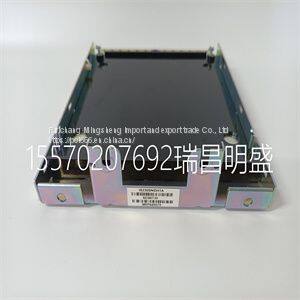
IS230SNIDH1A
The transmitter has two display regions active while in the measure mode of operation. The primary display region shows the measured variable. The secondary display region can show a multitude of process, sensor, or transmitter information: process temperature, current output value, sensor type, sensor cell constant, compensated conductivity (useful for concentration configurations), user-defined text description (concentration configuration only), spike mode status, and software revision. All of these are viewable in the secondary display region using the secondary display mode. Any of these can be set as the displayed value while in the measure mode of operation. SECONDARY DISPLAY STATES OF OPERATION The secondary display mode contains eight states. These provide information on the process temperature, transmitter settings, and transmitter status. As shown in Figure 10-1, each secondary state can be sequentially viewed by pressing the NEXT smart key. Any given secondary display state can be continually shown in the measure mode by pressing the ENTER smart key when the desired state is shown. The transmitter proceeds to the measure mode and displays the entered secondary display state in the secondary display region. SECONDARY DISPLAY OPERATION To use the secondary display mode and states of operation: 1. Press the MENU smart key until DISPLAY is highlighted on the display. 2. Press the SELECT smart key to enter the secondary display mode. 3. Press the NEXT smart key to sequentially view each secondary display state. 4. Press the ENTER smart key to have the desired secondary display state appear during the measure mode
>>
J2 Bottle Blow Moulding Machine Adopts Advanced Microcomputer PLC Control System
>>
Youpin EraClean Ultrasonic Cleaning Machine 45000Hz High Frequency Vibration Wash Cleaner Washing Jewelry Glasses Watch Machine
>>
Model-160 Capacity 200kg/H Poultry Pellet Machine Birds Rabbits Cattle Cow Sheep Feed Pellet Machine
>>
Chinese Carrot S Size in 5kg Carton
>>
Agrieso 17.4 Ton Silo Chicken Feed Silo Equipped with Automatic Feeding Conveyor System
>>
UTM420 Automatic Flatbed Pet laser label Die Cutting Machine, Flat bed hot stamping sticker punching press cutter
>>
16-Speed 25mm Heavy-Duty Floor Drill Press for Workshops
>>
Five Axis Machining Center for Granite Marble Cutting Stone CNC Router
>>
5mm Pressure-relief 3D Spacer Fabric with high-elastic and Durable for Mattress Cover or Furnishing
>>
Aelwen High Quality Auto Parts Car Ignition Switch Ignition Starter Switch with Key Fit for FIAT Citroen Iveco Peugeot Renault Toyota Ford VW Benz
>>
UL 6AWG 4AWG 3AWG 2AWG 1AWG Thhn/Thwn CCA Wire Nylon Sheath Building Cable
>>
High Quality Fashion Customized Logo Heat Transfer Neck Phone Key Lanyard Polyester Lanyard
>>
Marquee Luxury Event Trade Show Party Clear Sports Exhibition Outdoor Transparent Marquee Wedding Tent
>>
Air bubble packaging machine
>>
injection pump cam disk for bosch1 466 110 689 ve pump cam disk
>>
Tongjia 1000L 2000L 3000L Plastic Large Container Drum Tank Blow Molding Machine
>>
Automatic Double Heads High Accuracy Down Feather and Cotton Filling Machine with Twelve Weighing System (RM2-12)
>>
Water Base Reverse/Front Printing Pet Backlit Film
>>
Ml-500mm Ge Cable Plum Blossom Take up Machine Square or Round Paper Drums and Cartons
>>
HDPE scaffold net,safety net,construction net, high strength,transparent, fireproof, dustproof and anti-noise