Product Details
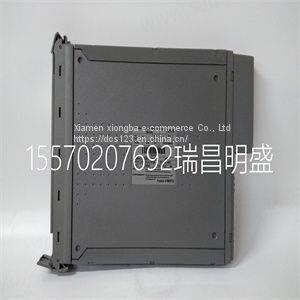
Product Description
Product Description
Focus on DCS, PLC, robot control system and large servo system.
Main products: various modules / cards, controllers, touch screens, servo drivers.
Advantages: supply of imported original products, professional production parts,
Fast delivery, accurate delivery time,
The main brands include ABB Bailey, Ge / fuanc, Foxboro, Invensys Triconex, Bently, A-B Rockwell, Emerson, ovation, Motorola, xyvom, Honeywell, Rexroth, KUKA, Ni, Deif, Yokogawa, Woodward, Ryan, Schneider, Yaskawa, Moog, prosoft and other brands
• If you get a Verify SCXI Chassis message box showing the SCXI chassis model number, Chassis ID: x, and the message Slot Number: x Configuration has module: SCXI-XXXX or 1141/1142/1143, hardware in chassis is: SCXI-YYYY, 1141/1142/1143, or Empty, complete the following troubleshooting steps to correct the error. 1. Expand NI-DAQmx Devices. 2. Right-click the SCXI chassis and click Properties to load the chassis configurator. 3. Under the Modules tab, ensure that the cabled module is listed in the correct slot. 4. If the cabled module is not listed in the correct slot, complete the following troubleshooting steps: a. If the cabled module is not listed in the correct slot and the slot is empty, click the drop-down listbox next to the correct slot and select the cabled module. Configure the cabled module following the steps listed in the SCXI Quick Start Guide. Click OK. b. If another module is displayed where the cabled module should be, click the drop-down listbox next to the correct slot and select the cabled module. A message box opens asking you to confirm the module replacement. Click OK. Configure the cabled module following the steps listed in the SCXI Quick Start Guide. Click OK. • If you have more than one kind of SCXI module in the SCXI chassis, ensure that you have the highest priority SCXI module cabled to the E/M Series DAQ device. Refer to the SCXI Quick Start Guide to find out which SCXI module in the chassis should be cabled to the E/M Series DAQ device. • After checking the preceding items, return to the Troubleshooting the Self-Test Verification section and retest the SCXI chassis. If these measures do not successfully configure the SCXI system, contact NI. Refer to the Technical Support Information document for contact information.
>>
29412EX bearing,Screw Conveyors 29412-E1 Axial Spherical Roller Bearings Gearboxes bearing,WKKZ BEARING,export@wkkzbearing.com
>>
1100W 80n. M Portable Brushless Impact Cordless Drill Multifunction
>>
Small Diesel 186f Power Tiller Gear Drive Riding 15HP Micro Tiller for Agricultural
>>
Sany Solid Concrete Folded Boom Concrete Truck-Mounted Mortar Pump
>>
16.2cm SMA Male Connector 4G LTE Antenna, WiFi Router Modem 433MHz 5.8G 2.4G Antenna
>>
Factory direct sales special-shaped bag liquid packaging machine shampoo packaging machine bag type diversification
>>
Fast and Professional Freight Forwarder Best Air Shipping Agents in China to Italy
>>
Aluminum Class Student School Church Cinema Conference Lecture Hall Theater Auditorium Chair
>>
Industrial Electric Concrete Mould Vibrator Table
>>
Factory direct sales at affordable prices 20kHz 2600w ultrasonic plastic welding machine for PSA grading card
>>
PC Series Sand Stone Production Hammer Crusher
>>
10kv Transformer 200kvKVA New Style Hot Selling Energy Saving Solutions Offered by Advanced Distribution Transformer Designs
>>
4 Wire Flat to 7 Way RV Trailer Light Plug Wire Harness Converter Adapter for Car Truck Trailer Hitch
>>
Japanese style daruma ceramic lucky cat saving box ceramic piggy bank
>>
High-Speed Corn Harvester Delivering Exceptional Efficiency
>>
hot sale plastic granule bag washing powder detergent packing machine for 1kg
>>
Industrial Hydraulic Compression System for Automatic Hydraulic Brick Making Machine with 300-Ton Pressure Capacity
>>
CE 38mm 45mm 50mm Small Concrete Vibrator with Good Price
>>
Small 4-Wheel Power Tourist Trolley Auto Single Seat Club Mini Vintage Vehicle Hunting SUV EV Electrical Passenger Sightseeing Buggy Electric Golf Cart
>>
PE Jaw Crusher Series with Higher Capacity, Quality, Yield, Performance, Profitability