Product Details
Product Description
Product Description
Focus on DCS, PLC, robot control system and large servo system.
Main products: various modules / cards, controllers, touch screens, servo drivers.
Advantages: supply of imported original products, professional production parts,
Fast delivery, accurate delivery time,
The main brands include ABB Bailey, Ge / fuanc, Foxboro, Invensys Triconex, Bently, A-B Rockwell, Emerson, ovation, Motorola, xyvom, Honeywell, Rexroth, KUKA, Ni, Deif, Yokogawa, Woodward, Ryan, Schneider, Yaskawa, Moog, prosoft and other brands
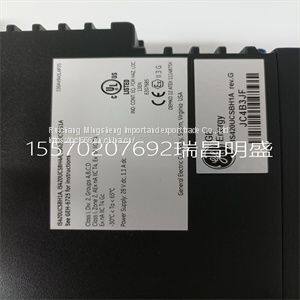
IS420UCSBH1A
The transmitter has a utility mode of operation that provides access to powerful functions not usually needed during normal operating conditions. These functions have been separated into two categories: factory and user. Factory functions are reserved to ABB personnel. User functions include: programming mode selection, reset configuration to default values, remove security, reset all parameters to default values, and a software boot. There is only one procedure for the utility mode (PR23). It contains brief descriptions of each utility mode state. FACTORY AND USER STATES Access the factory and user states of operation by using the hidden fifth key located in the center top of the front panel. Once pressed, the hidden key causes the textual prompt USER to display in the secondary display region. Pressing the SELECT smart key moves the transmitter into the user state. Pressing the NEXT smart key moves the transmitter to the factory selection. Pressing the exit to MEASURE smart key escapes back to the measure mode. The user state consists of five states of operation. Table 11-1 describes the function of each state. The NEXT smart key sequentially moves through each of the five user states. This cycle repeats until a state is selected or the escape function is chosen using the exit to MEASURE Table 11-1. User States State Display Function Mode MODE Sets programming mode (basic or advanced) that can be selected in the modify configure mode of operation. Reset configuration RST.CON Resets configuration to factory defaults. Reset security RST.SEC Resets security to OFF state for all applicable modes and modify configure state. Reset all RST.ALL Resets all programming parameters such as configuration, calibration, output/hold, security, and secondary display functions to factory defaults. Soft boot RST.SFT Initiates software reset. UTILITY MODE FACTORY AND USER STATES 11 - 2 WTPEEUI520002A1 smart key. To select a state, press the SELECT smart key when the desired user state is shown in the secondary display region. Figure 11-1 identifies the smart key assignments and resulting action. Figure 11-1. User State Screen Flow T03442A MEASURE MODE MODE RETURN RSTCON RETURN RSTSEC RETURN R S TA LL RETURN USER RSTSFT RETURN RSTCON RSTSEC R S TA LL RSTSFT MEASURE C A LIB R ATE OUT/HOLD CONFIGURE SECURITY D ISPLAY MEASURE C A LIB R ATE OUT/HOLD CONFIGURE SECURITY D ISPLAY MEASURE C A LIB R ATE OUT/HOLD CONFIGURE SECURITY D ISPLAY MEASURE C ALIB R ATE OUT/HOLD CONFIGURE SECURITY D ISPLAY MEASURE C ALIB R ATE OUT/HOLD CONFIGURE SECURITY D ISPLAY exit to MEASURE exit to MEASURE exit to MEASURE exit to MEASURE exit to MEASURE MODE R S T.C O N R S T.S E C R S T.A LL R S T.S F T 6.82 6.82 6.82 6.82 6.82 SELECT SELECT SELECT SELECT SELECT NEXT NEXT NEXT NEXT NEXT mS/cm mS/cm mS/cm mS/cm mS/cm INTRODUCTION WTPEEUI520002A1 12 - 1 SECTION 12 - DIAGNOSTICS AND TROUBLESHOOTING INTRODUCTION The Type TB82TE transmitter performs a number of diagnostic checks on hardware, software, and sensor functions. Upon detection of a nonconforming condition, the FAULT icon locally alerts the operator. Configurable remote indication is performed by using the spike output option to modulate the output current. Pressing the FAULT info smart key interrogates the transmitter as to the cause of the fault. The display of a short text string and fault code alternate on the secondary display. If multiple faults exist, pressing the FAULT info smart key moves the display to the next fault. Upon interrogation of all faults, the transmitter returns to the measure mode and the MENU smart key icon appears. This section describes the type of fault conditions and their applicability to transmitter functionality. If the evaluation of the fault codes does not resolve the problem, refer to TROUBLESHOOTING SEQUENCE to find additional troubleshooting procedures. FAULT CODES Fault conditions are grouped into two categories based on their severity. Conditions that result in degradation of transmitter performance are reported as problem codes (PC). Conditions that render the transmitter inoperable are reported as error codes (EC). Fault codes are reported in the secondary display region in a first in, first out (FIFO) order. All active fault conditions can be viewed at any time while in the measure mode by using the FAULT info smart key. A flashing FAULT icon indicates a new fault condition that has not been interrogated. Upon resolution of all fault conditions, the FAULT icon and FAULT info smart key disappear. Problem Codes Problem codes result from fault conditions that impact the performance of the transmitter. These conditions are usually resolved using standard practices. The occurrence of a problem code fault condition energizes the FAULT icon and modulates the spike output (if configured). These diagnostic indicators p
>>
Advanced High-Speed Coffee Cup Manufacturing Machine for Efficient Production
>>
good price JMC brand 20,000 poultry day old chicks seedlings transported truck for hatcheries for sale
>>
6m conveyor pipe cow dung dryer goat chicken manure dewatering and processing machine with 1m discharge
>>
Manual or electrical control roller shutter door / garage door
>>
SINOBI Car Wristwatch S9639G Mansculinity Male Watches Chronograph Handwatch Night Light Watches Pilot Watch Montre Homme
>>
Tpu Injection For Chopping Board
>>
Hongda High Quality Cotton Opener with High Production
>>
Automatic Edgebanding Machine Curve Trimmer Manual Edge Banding Machine Small for Wood Laminate
>>
Not Fx / Hatsan / Benjamin 4500psi Fx Pcp Hand Operated Manual Air Hand Pump for Pcp Paintball
>>
Worktable Milling Machine Gear Sumore China Tools Mill and Drill
>>
Africa embroidered wool cap / embroidered wool cap / Africa wool cap / wool cap
>>
Gas Safety Testing Monitoring CH4 Sensor Module NDIR
>>
19% Tin Content 181 Liquid Stabilizer Methyl Tin Mercaptan
>>
Die Cast Aluminium Industrial High Bay Led Street Lamp Mine Light Floodlight Empty Housing
>>
High Quality Contral Control Dashboard Plastic Molding Auto Console Mould
>>
Exhaust Gas tube 3960546 3960547 3960550 3960556 3960572 3960579 3960592 3960593 3960610 3977322 3960650 3960651 3978558
>>
Smart Fingerprint Door Handle Electronic Drive Lock Easy Installation Door Lock (YDDL-0050)
>>
Capacity Remotely Controlled Electric-Powered Offshore Lifting and Handling Crane
>>
Ultra-Thin Computer Monitor Electric Lifting Pop up LCD LED Screen Lift for 18.5 Inch Motorized Monitor Pop up Lift
>>
wholesale Korea best quality htv glitter film heat transfer glitter color vinyl rolls for t-shirt custom